Reclaim your storage.
Effortlessly.
Cleanzly finds duplicate photos, blurry shots, and space-hogging videos in seconds — then helps you free up storage with a simple swipe. Everything stays on your iPhone.
- Find duplicate and similar photos, videos, and screenshots
- Keep the best shot and remove the rest
- Free up storage safely, entirely on-device
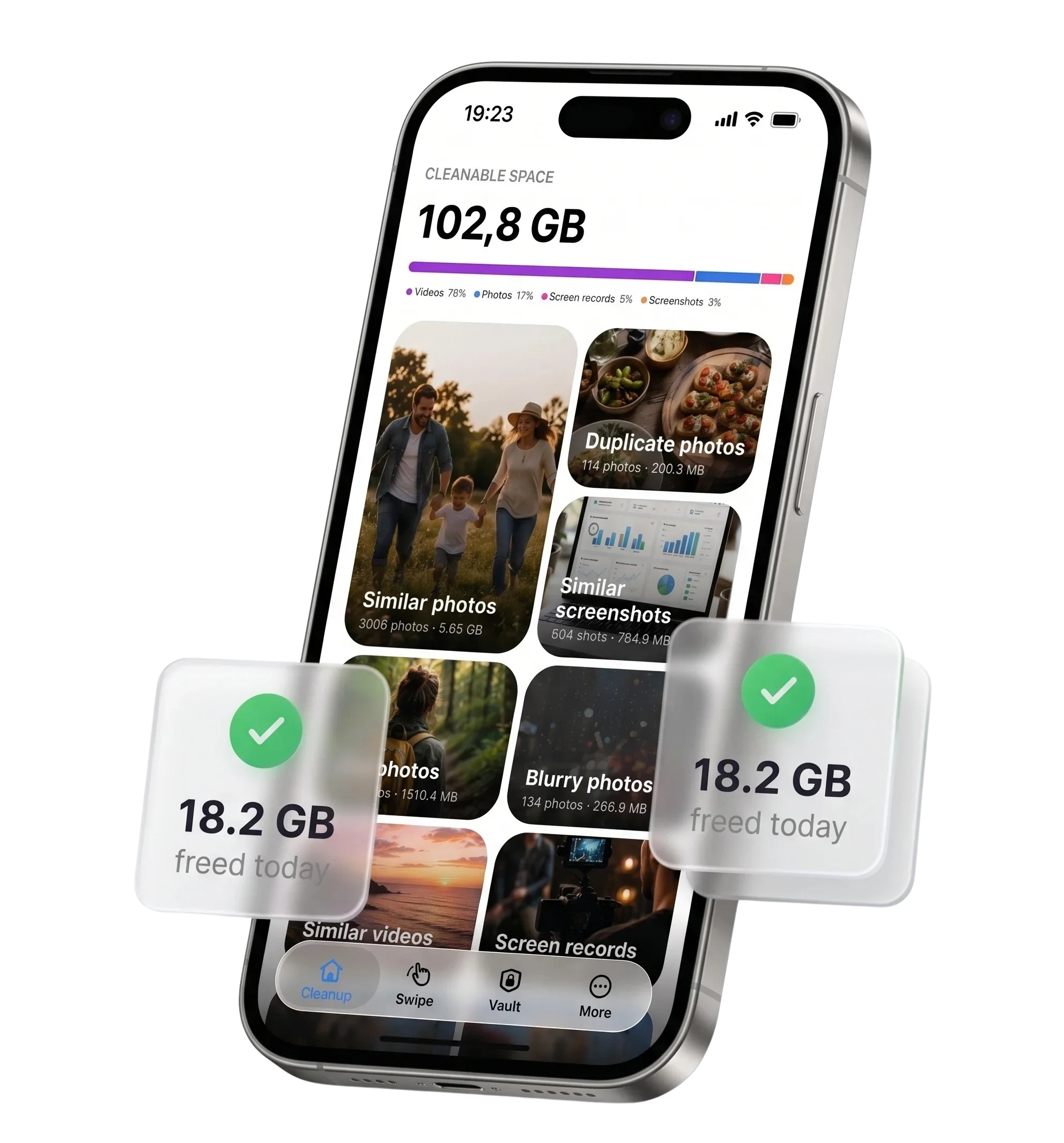
One app for every kind of clutter
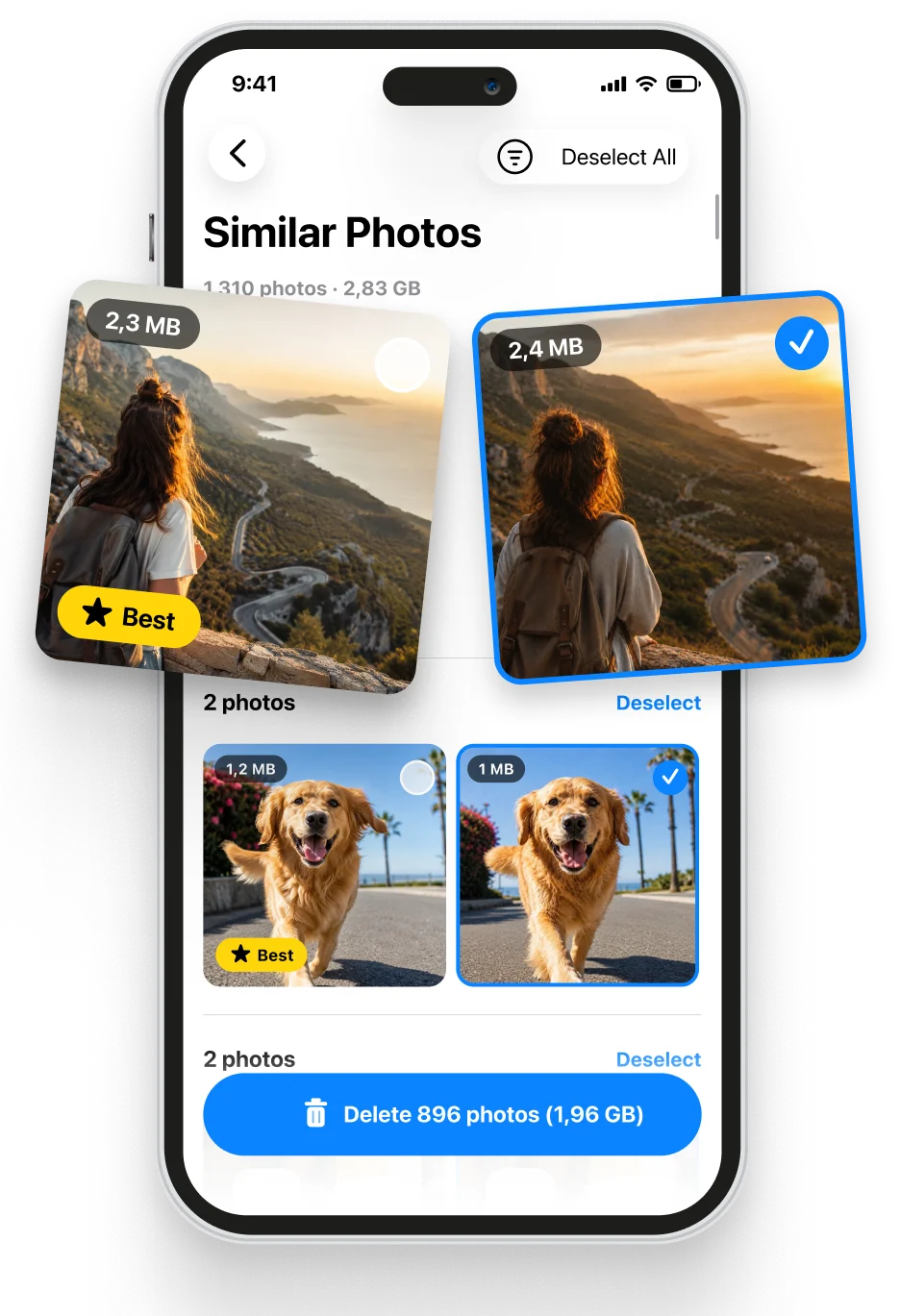
Remove similar and duplicate photos
Smart on-device analysis groups near-identical shots and exact copies. Review the suggested keeper, then safely remove the rest.
- ✓Groups burst shots and look-alikes automatically
- ✓Suggests the sharpest photo to keep
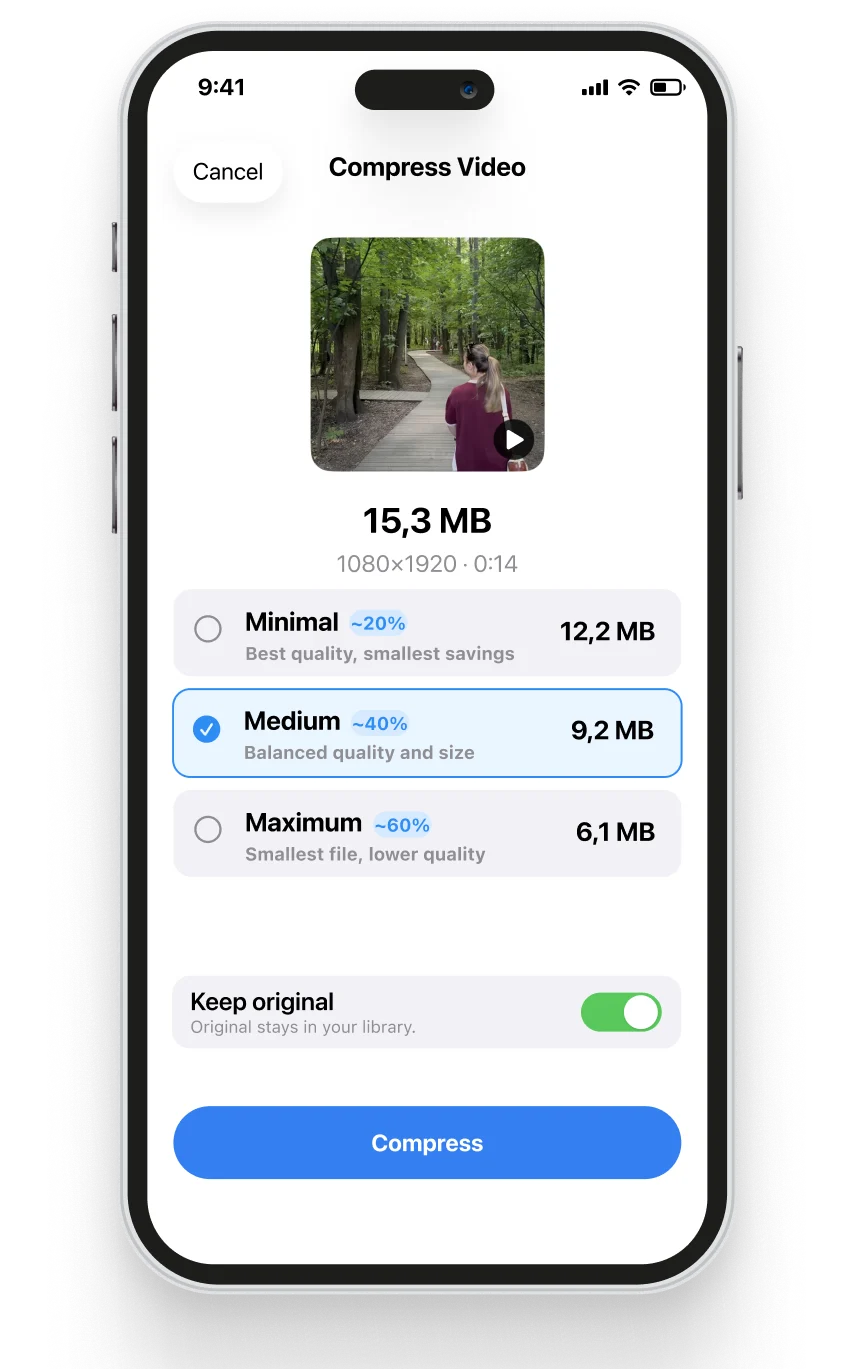
Compress large videos and screen recordings
Long clips and screen recordings can use the most storage. Cleanzly finds large videos and compresses them on-device while you choose the quality.
- ✓Sort by size, length, and recordings
- ✓Preview the result before saving
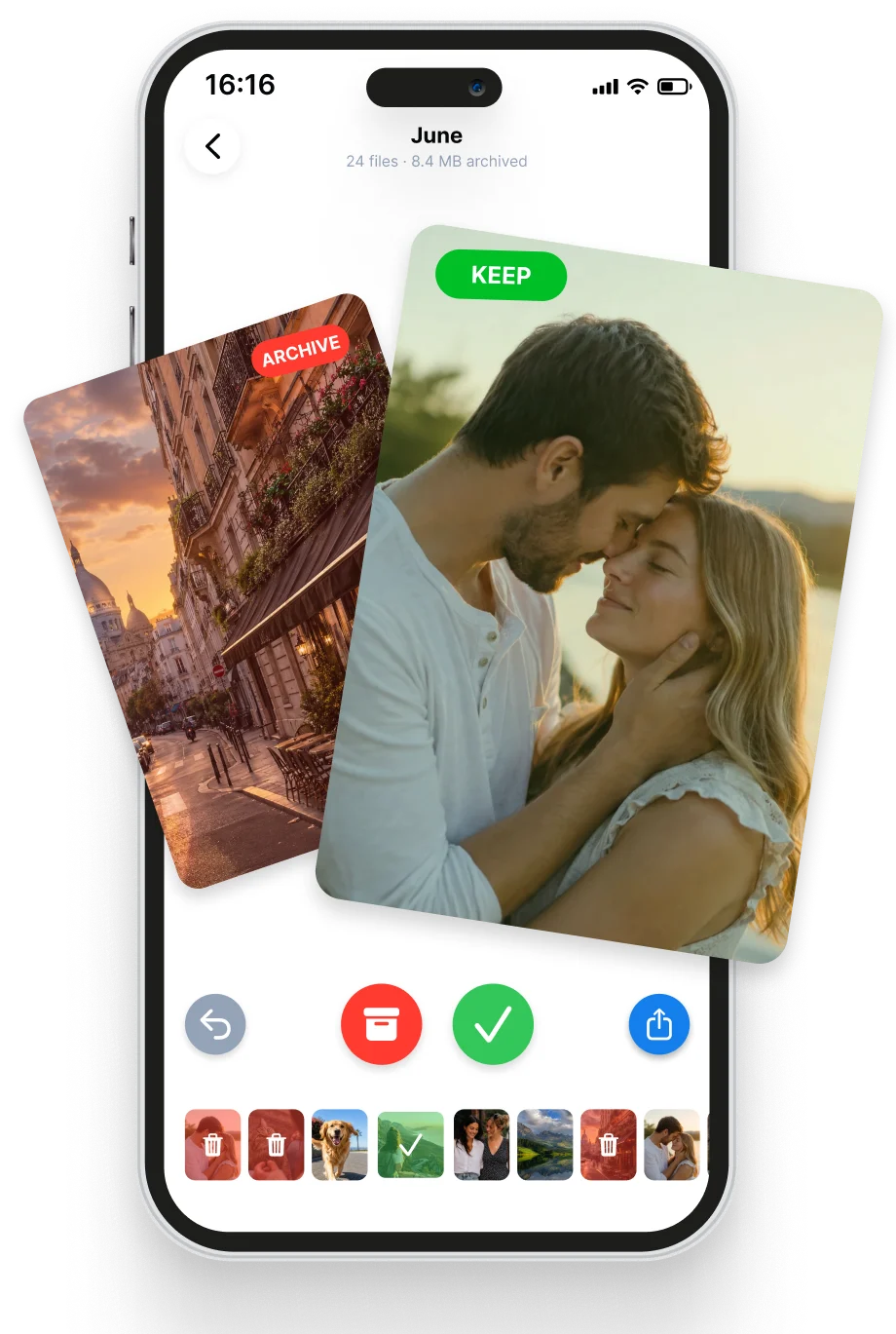
Swipe to decide what stays
Use a quick, familiar swipe flow to review your library. Swipe left to remove, right to keep, and confirm only when you are ready.
- ✓Review many photos with one thumb
- ✓Undo before you confirm
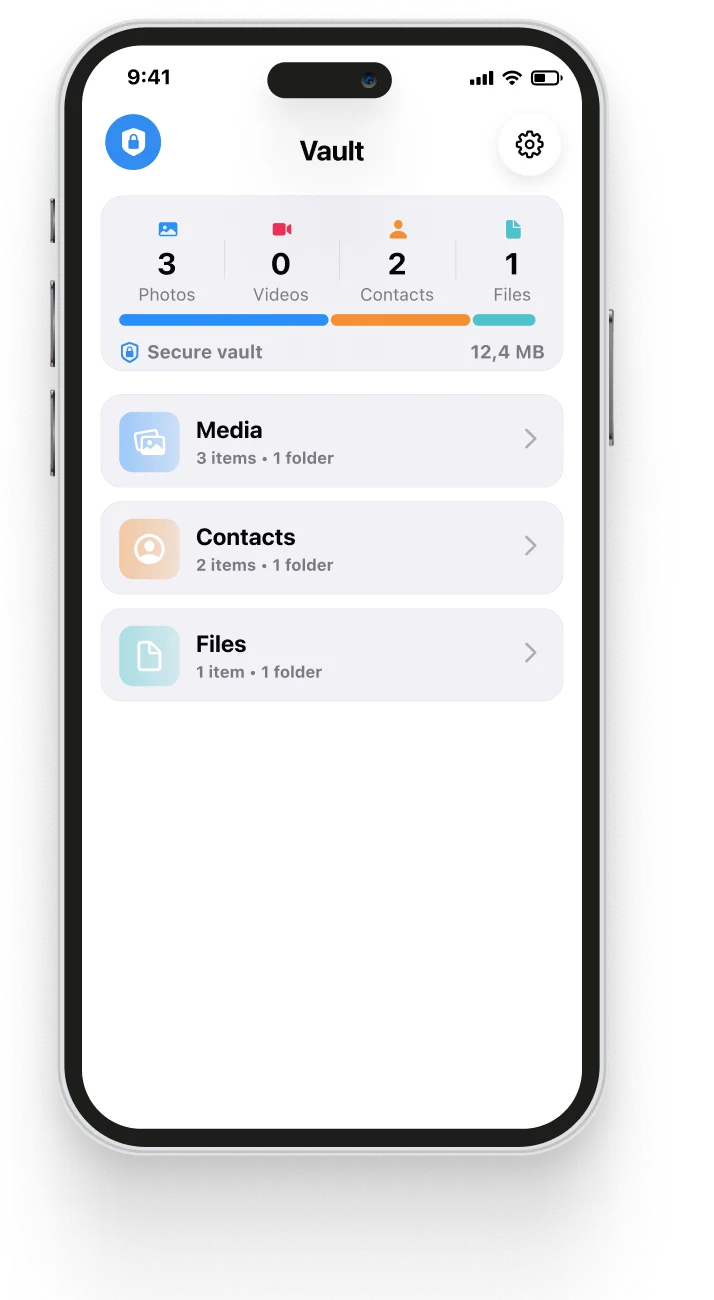
A private encrypted Vault
Move sensitive photos, videos, contacts, and files into a Vault protected by a PIN and biometrics. Vault data stays on your device.
- ✓PIN and biometric protection
- ✓On-device encryption with no uploads
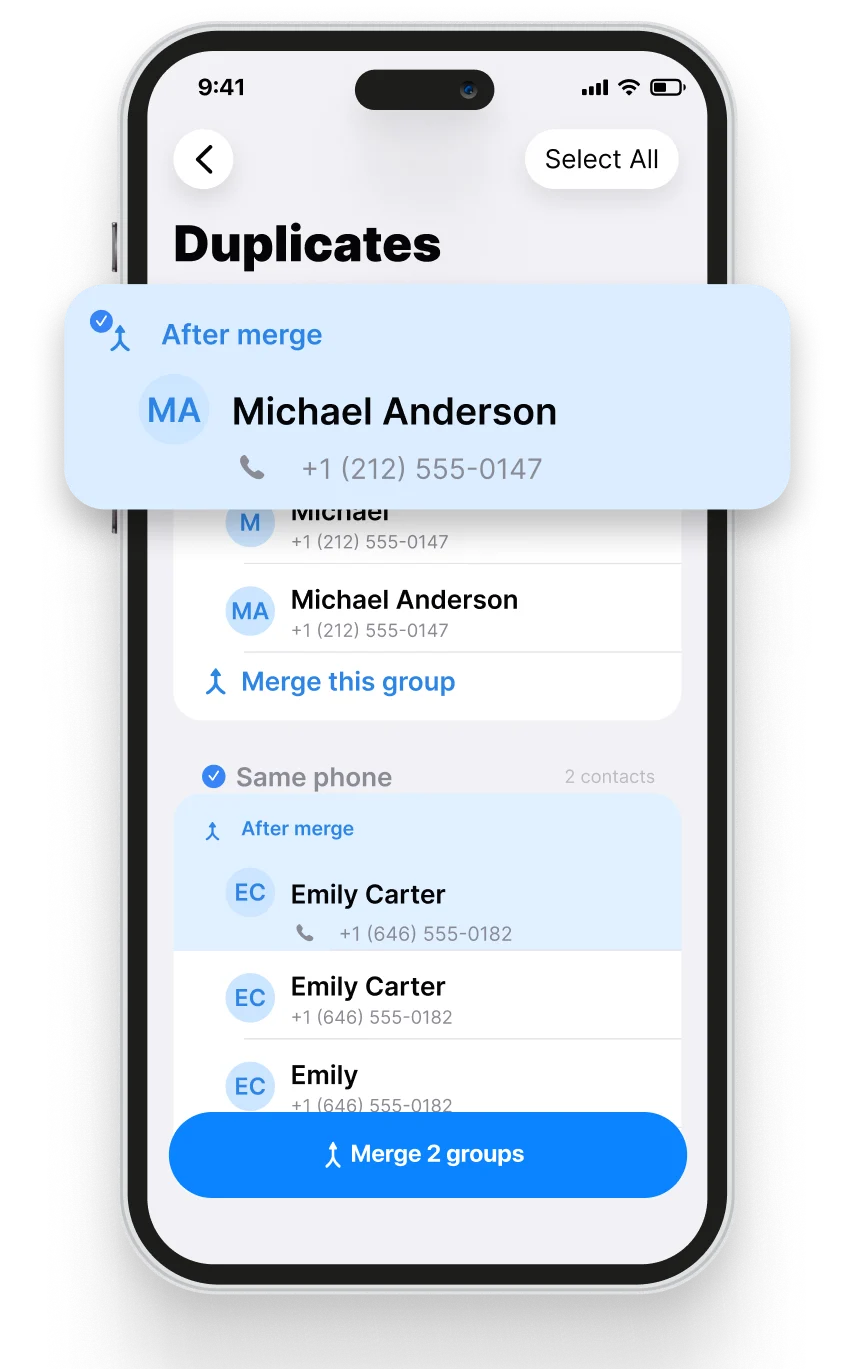
Merge duplicate contacts and events
Find contacts split across duplicate cards and repeated calendar events, review the result, and merge them without losing important details.
- ✓Group contacts by matching names or numbers
- ✓Preview the merged contact before confirming
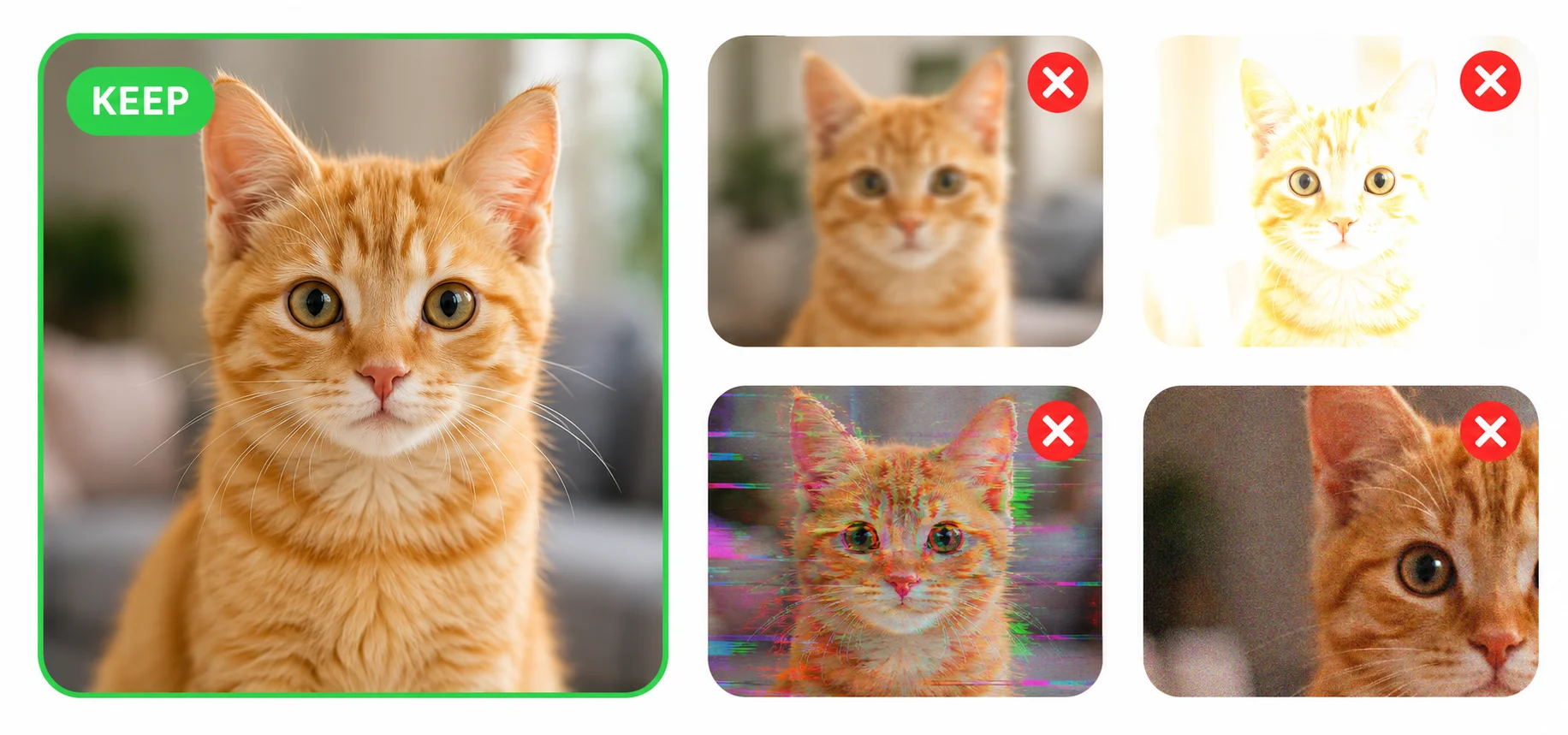
It suggests the keeper, so you stay in control
For a group of near-identical shots, Cleanzly suggests the best one to keep. Review the choice and confirm what should be removed.
- Sharp focus
- Eyes open and smiling
- Looking at the camera
- Previously favorited or edited
Free up space in three steps
Scan
Cleanzly analyzes your library on-device and sorts clutter into clear categories.
Review
Swipe through suggestions or review smart picks. You control every deletion.
Free up space
Confirm your selection and reclaim storage on your iPhone.
Straightforward iPhone cleanup guides
Understand what takes up space, what iOS already handles, and where Cleanzly can make a careful review faster.
Questions, answered
Do my photos ever leave my iPhone?+
No. Cleanzly analyzes your library on-device. There is no account and no cloud upload for cleanup features.
Can I recover something I remove by mistake?+
Yes. Photos and videos removed from the library go to the iOS Recently Deleted album, where iOS normally keeps them for 30 days unless you delete them sooner.
Can I preview a compressed video?+
Yes. You choose the compression level and can review the result before saving it.
What iPhone do I need?+
Cleanzly requires an iPhone running iOS 18 or later.