Find duplicate and similar photos on your iPhone
Cleanzly scans your photo library on-device, groups exact copies and similar shots, and helps you review them without surrendering control of your library.
Quick answer
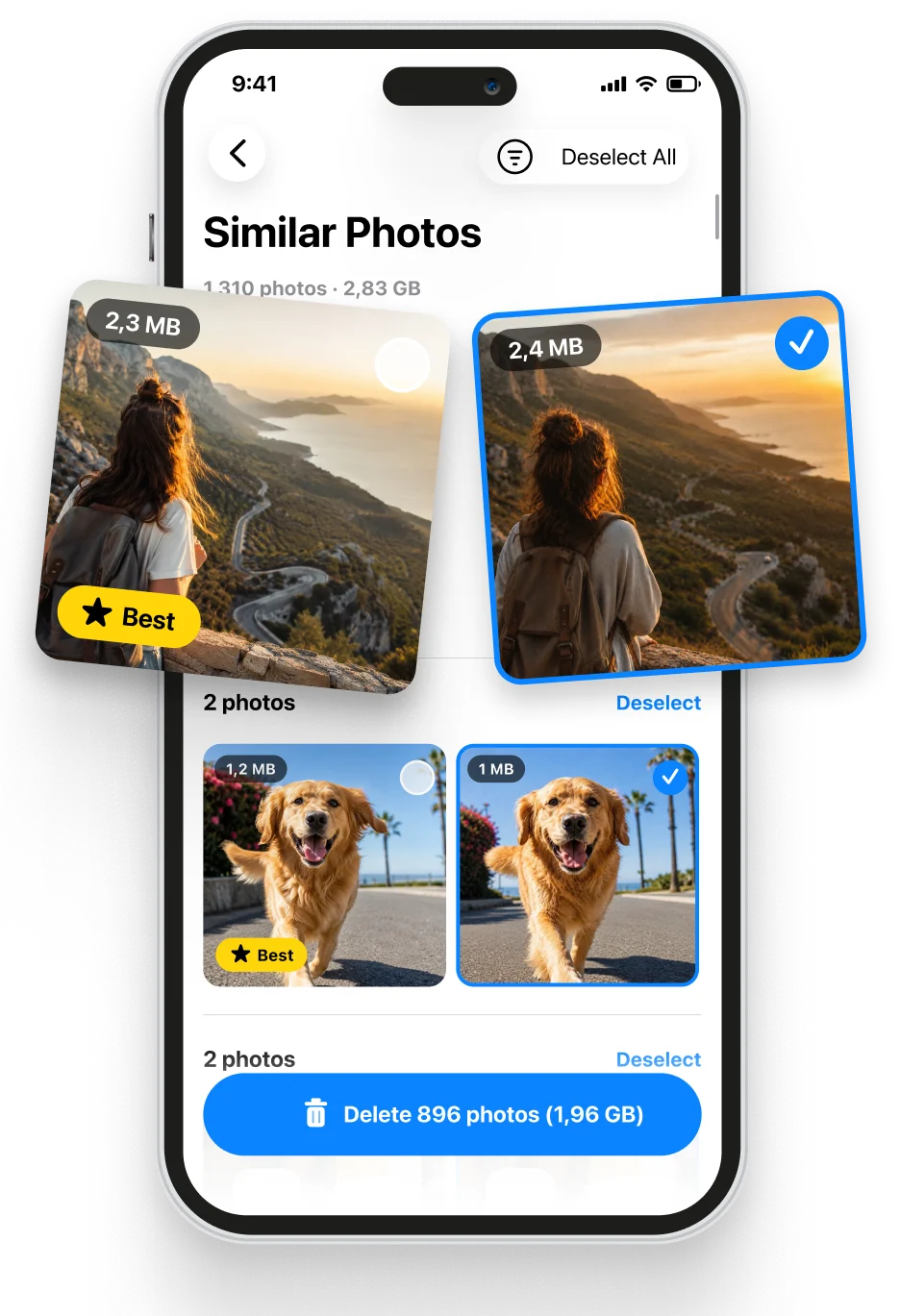
Apple Photos can identify many exact duplicates, while a dedicated review tool is useful for near-identical bursts, repeated poses, blurry shots, and screenshots. Cleanzly groups those photos, suggests a strong keeper, and waits for your confirmation before removal.
Duplicates and similar photos are different problems
An exact duplicate is another copy of the same file or image. Similar photos are different files that may show the same moment, such as a burst, repeated selfie, or several attempts at the same composition.
The built-in Duplicates album is a good first stop for exact copies. Cleanzly extends the review to look-alike groups where sharpness, expressions, favorites, and edits can matter more than file identity.
How Cleanzly helps choose a keeper
For a group of near-identical shots, Cleanzly evaluates useful signals such as focus, whether people are looking at the camera, visible expressions, and whether a photo was previously favorited or edited.
The suggestion is a starting point, not an automatic decision. Open the group, compare the images, change the selection if needed, and confirm only when you are comfortable.
- Exact copies are grouped separately from look-alike photos.
- Original resolution and visual details remain available for review.
- Nothing is removed until you approve the selection.
- Removed media goes through the normal iOS Recently Deleted flow.
A practical review routine
Work in small groups instead of selecting an entire library at once. Start with exact duplicates, continue with screenshots, and leave important events or family photos for a slower review.
Before emptying Recently Deleted, check that the photos you kept are present, open correctly, and include the versions you edited or favorited.
Common questions
Does iPhone already remove duplicate photos?
The Photos app can detect and merge many duplicates. Cleanzly is most useful when you also want to review similar shots, screenshots, blurry images, and repeated compositions.
Are my photos uploaded for comparison?
No. Cleanzly performs its core photo analysis on your iPhone.
Can I recover a removed photo?
Photos normally move to the iOS Recently Deleted album, where they can be recovered until iOS removes them or you empty the album.
Sources and further reading
Review your storage privately
Cleanzly keeps core cleanup processing on your iPhone and lets you confirm every change.
Download on theApp Store