Keep sensitive photos and files behind an extra lock
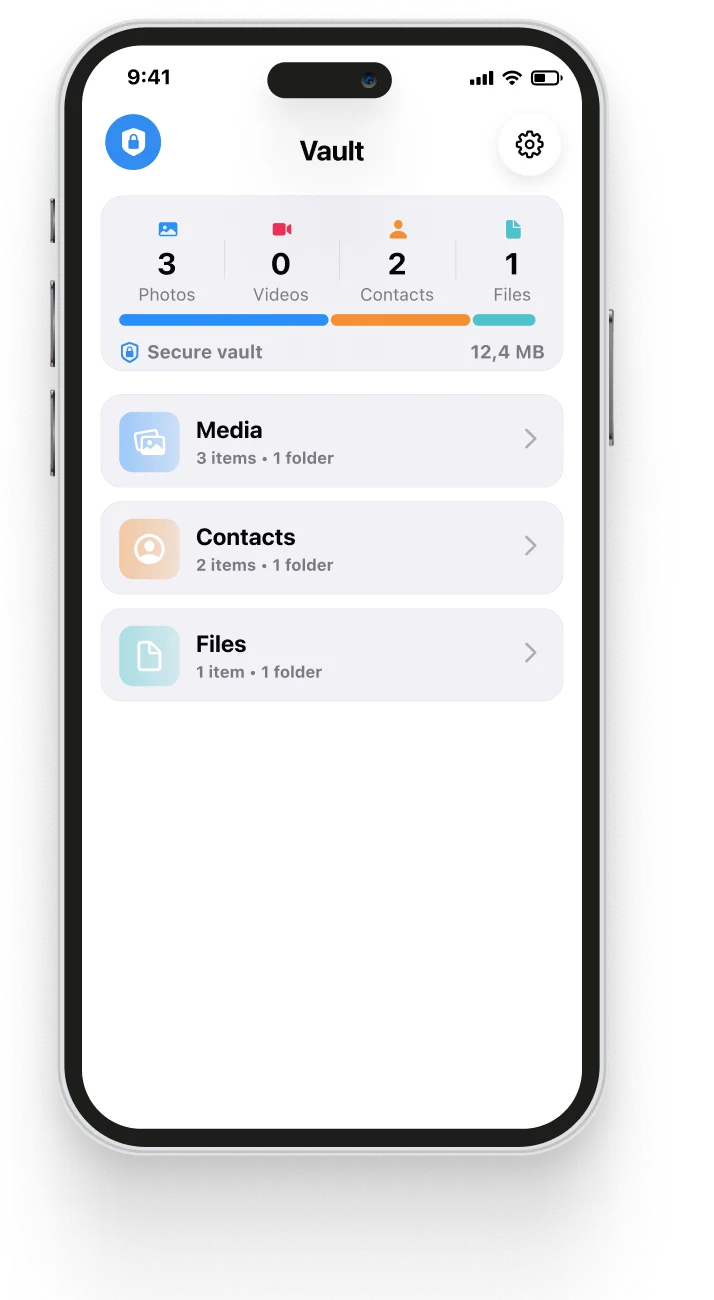
Cleanzly includes a private Vault for photos, videos, contacts, and documents. Vault access is protected by a PIN and supported biometric authentication, with protected data kept on your device.
Quick answer
The iOS Hidden album is convenient for reducing casual visibility. A dedicated Vault adds a separate in-app access boundary for selected items. Cleanzly protects Vault access with a PIN and biometrics and processes the feature on-device.
When a private Vault is useful
A Vault can help when you lend someone your unlocked phone, share the Photos app during a presentation, or keep identity documents and private media separate from the main library.
It is an additional privacy layer, not a replacement for a strong iPhone passcode, current iOS updates, device encryption, and a recovery plan.
Protect access and recovery together
Choose a PIN that is not reused elsewhere and enable biometric access only for fingerprints or faces you trust. Store any recovery phrase in a secure place outside the Vault itself.
Before removing an original from another location, confirm that the protected copy opens correctly and that you understand how backup and device migration affect it.
- Use a unique PIN and a strong iPhone passcode.
- Keep recovery information outside the device.
- Test access before changing or deleting an original.
- Review who can unlock the phone with biometrics.
Private by design
Vault contents are not used to train a model or analyzed in a cloud cleanup service. The protected workflow is designed to stay on your iPhone.
For maximum safety, keep iOS current, avoid sharing your device passcode, and review Cleanzly permissions after major device or account changes.
Common questions
Is the Vault the same as the Photos Hidden album?
No. They are separate workflows. The iOS Hidden album is part of Photos; Cleanzly Vault uses an additional in-app PIN and biometric access layer.
Are Vault files uploaded to the cloud?
Cleanzly's Vault workflow is designed to keep protected data on the device. Any device backup behavior depends on the settings and services you choose on your iPhone.
What happens if I forget the PIN?
Set up and safely store the recovery information offered by the app before relying on the Vault for important files.
Review your storage privately
Cleanzly keeps core cleanup processing on your iPhone and lets you confirm every change.
Download on theApp Store