Compress large iPhone videos before they fill your storage
Long 4K clips and screen recordings can consume gigabytes quickly. Cleanzly finds large videos, lets you choose the balance between size and quality, and processes compression on your device.
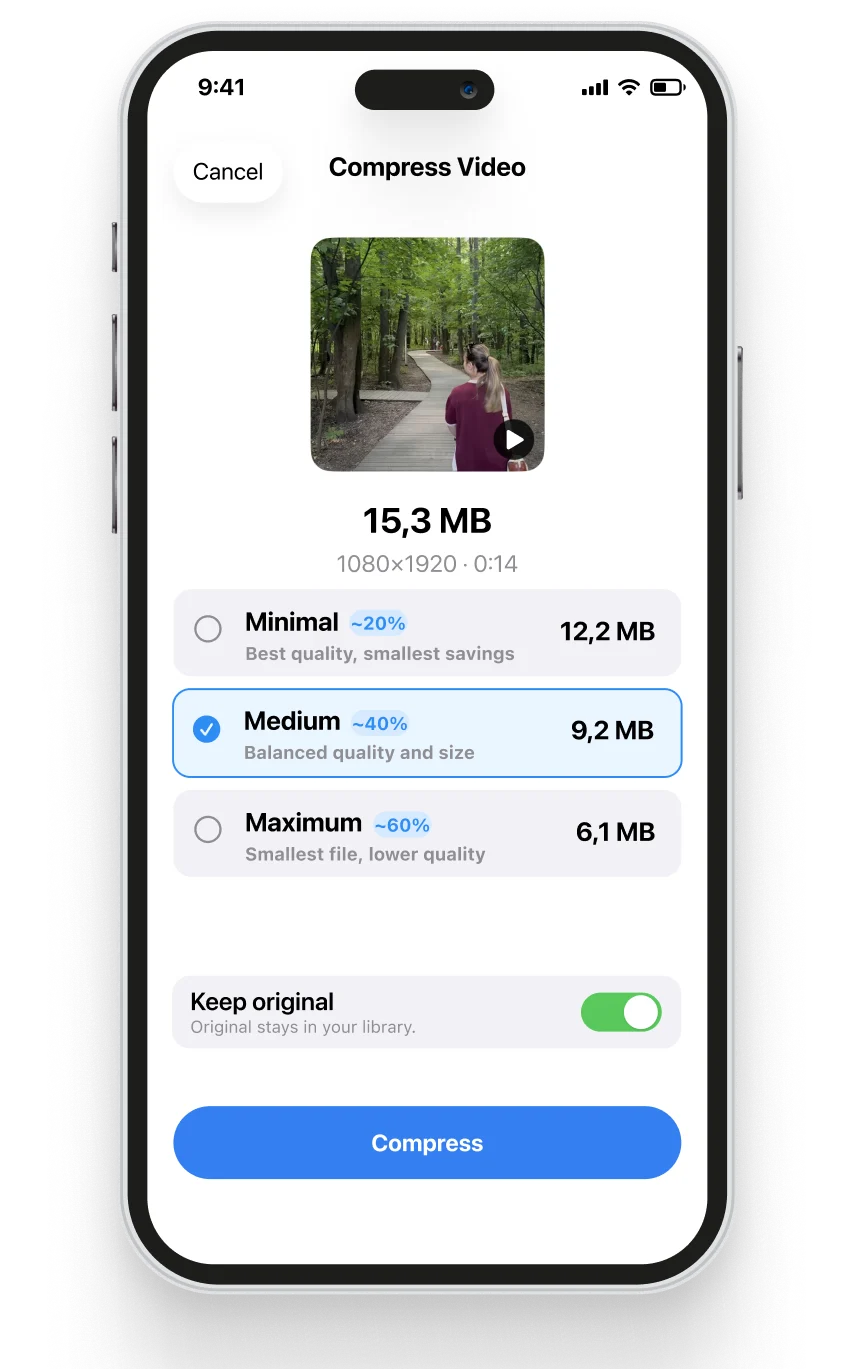
Quick answer
To reduce a video file, lower its resolution, bitrate, frame rate, or use a more efficient codec. Cleanzly simplifies that decision into compression choices and lets you preview the result before saving it.
Which videos should you compress first?
Sort by file size rather than guessing from duration. A short 4K or high-frame-rate recording may be larger than a much longer standard video. Screen recordings and clips already backed up elsewhere are often easy candidates.
Keep irreplaceable originals when maximum detail matters. Compression is best for everyday clips, reference recordings, and videos where a smaller file is more valuable than perfect source quality.
How to balance quality and file size
Stronger compression produces a smaller file but removes more visual information. Fine texture, fast movement, low-light scenes, text, and repeated compression make quality loss easier to notice.
Preview the compressed result at full screen, check audio synchronization, and compare a scene with motion before replacing or removing an original.
- Open the large-video category.
- Choose a video and a compression level.
- Preview motion, text, faces, and audio.
- Save the new version only when the result is acceptable.
- Remove the original later if you are certain it is no longer needed.
On-device compression keeps the workflow private
Uploading a private video to an online compressor introduces transfer time and another copy outside your phone. Cleanzly performs compression on-device, so the video does not need to be sent to a web service.
Processing time and battery use depend on video length, resolution, codec, and iPhone model. For large batches, connect the phone to power and work in smaller groups.
Common questions
Will compression reduce video quality?
Some information is removed whenever lossy compression makes a file smaller. The goal is to choose a level where the reduction is acceptable for how you plan to watch or share the video.
Does Cleanzly upload videos?
No. Core video compression runs on your iPhone.
Should I delete the original immediately?
It is safer to play the compressed version first and keep the original until you have confirmed the picture, audio, and duration are correct.
Sources and further reading
Review your storage privately
Cleanzly keeps core cleanup processing on your iPhone and lets you confirm every change.
Download on theApp Store